What Is the Best Uninterruptible Power Supply?
Choosing the best Uninterruptible Power Supply is not simply a matter of buying the largest battery. The right system must fit the load, runtime, facility, and failure risks. A small office may need clean shutdown protection. A hospital, factory, or data center may require continuous operation, generator coordination, and monitored redundancy.
The stakes are increasing. The International Energy Agency reported in Electricity 2024 that global data-center electricity consumption could exceed 1,000 terawatt-hours annually by 2026. Efficiency now matters beside reliability. Uptime Institute’s Global Data Center Survey 2024 also shows that outages remain costly, with many incidents exceeding $100,000. That changes the question.
Neil Rasmussen, a respected data-center power specialist at Schneider Electric, states, “The best UPS for a particular application is the one that meets the requirements of that application.” His point is practical. A double-conversion UPS may deliver strong power conditioning, but it can bring higher energy losses and maintenance needs. A line-interactive model may suit a smaller installation, yet offer less protection against severe disturbances.
There is no perfect answer.
This guide compares topology, capacity, runtime, efficiency, scalability, battery chemistry, serviceability, and total ownership cost. It also considers an uncomfortable detail: published efficiency figures may not reflect lightly loaded operation. Real rooms rarely behave like laboratory charts. Readers should verify assumptions against measured demand, local conditions, and credible manufacturer documentation before choosing a system.
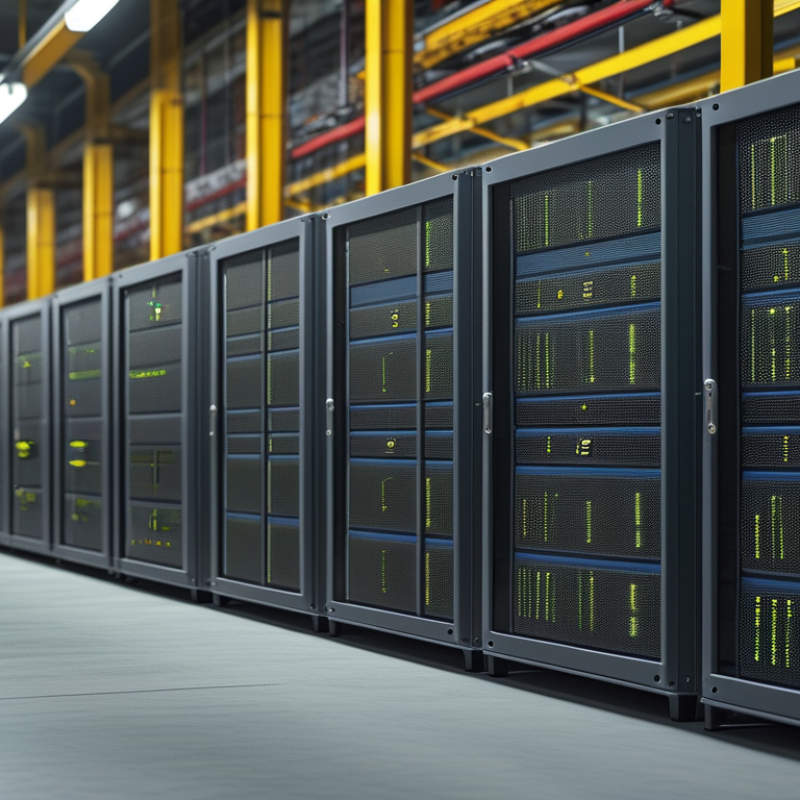
A UPS is more than a battery cabinet. It is a power continuity system that detects voltage loss, filters disturbances, and supports critical loads during outages. Its main parts include a rectifier, batteries, inverter, bypass circuit, and monitoring controls. Online UPS systems constantly condition electricity, while standby models transfer power after an interruption. That transfer can still affect sensitive servers, medical instruments, or industrial controllers.
Sizing requires more than adding equipment wattages. Engineers should measure real load, starting current, battery autonomy, room temperature, and future expansion. According to the Uptime Institute’s 2024 Annual Outage Analysis, 54% of surveyed organizations reported outage costs above $100,000. The report also identified power-related problems as a continuing cause of serious incidents. A UPS cannot correct poor wiring, weak maintenance, or an undersized generator. That assumption deserves reconsideration.
Tips: Record voltage events and battery temperatures monthly. Test transfer functions under controlled conditions. Keep batteries within manufacturer limits, and replace aging units before capacity becomes uncertain. The Ponemon Institute’s 2023 Cost of Data Center Outages report estimated the average outage cost at about $740,000. Yet cost estimates vary widely by sector, so a fixed autonomy target may be misleading. A practical design often protects essential circuits first, rather than every connected device.
Online double-conversion UPS systems provide continuous power conditioning with virtually zero transfer time. Line-interactive systems typically switch to battery power within a few milliseconds, while standby systems commonly require around 10–20 milliseconds. The best UPS depends on the equipment's sensitivity, required runtime, power quality, and budget.
Values shown are representative industry ranges for typical UPS topologies. Actual transfer times vary by system design and operating conditions.
Choosing the best uninterruptible power supply depends on equipment type, power quality, and required runtime. Standby UPS units suit basic desktops and networking devices during brief outages. Line-interactive models handle frequent voltage dips more effectively. Online double-conversion systems provide the cleanest power for servers, medical equipment, and sensitive control systems. They also cost more and may generate additional heat.
Power ratings require careful attention. Add the wattage of every connected device, then choose a UPS with comfortable headroom. VA alone can mislead because watts measure usable power. A small office setup might draw 280 watts but need a UPS rated above 400 watts.
Runtime also changes with battery age, load, and temperature. My first estimate was too optimistic after adding a monitor and storage device. Check real measurements when possible, not only the labels.
Tips: Use a plug-in watt meter before buying. Keep the load below 70% of the UPS capacity for better runtime and battery life. Confirm the socket type and replacement battery availability. Test the UPS every few months. A higher rating does not automatically mean longer backup time. Sometimes, a smaller unit with a lighter load performs better. Still, product specifications can be incomplete, so verify runtime charts and protection features carefully.
What Is the Best Uninterruptible Power Supply?
Battery runtime is often the first specification people notice, but it is rarely the whole answer. A UPS running a small router may last over an hour. A workstation with several monitors can drain the same battery much faster. Check the load in watts, not just the equipment count. Battery age, room temperature, and charging history also change real runtime. Manufacturer estimates are useful, but they are not promises.
Waveform quality matters when powering sensitive equipment. A pure sine wave closely follows utility power and supports devices with active power-factor correction. Simulated waveforms may work well with basic electronics, yet some power supplies can produce noise, heat, or unexpected shutdowns. During testing, listen for buzzing and watch for repeated restarts. That practical check can reveal problems that a specification sheet misses.
Transfer time determines how quickly the UPS switches to battery power. Most office equipment tolerates a short interruption, but certain servers, medical devices, and control systems may not. A faster transfer rating is helpful, though it cannot fix an undersized battery or poor maintenance. I once focused too heavily on transfer speed and overlooked the connected load. That was a useful mistake. Measure the equipment under realistic use, leave some capacity available, and retest after the battery has aged.
| UPS Topology | Typical Battery Runtime at 50% Load |
Output Waveform | Typical Transfer Time | Voltage Regulation | Best Suited For | Main Limitation |
|---|---|---|---|---|---|---|
| Standby / Offline | 5–15 minutes | Usually stepped approximation; pure sine output is less common | Approximately 2–10 ms | Limited while utility power is present | Basic computers, networking equipment, and home electronics | Less effective against sustained voltage fluctuations and waveform-sensitive loads |
| Line-Interactive | 5–20 minutes | Stepped approximation or pure sine wave, depending on design | Approximately 2–8 ms | Automatic voltage regulation corrects moderate sags and surges without using the battery | Workstations, small servers, storage systems, and office networks | Still has a short transfer interval and may not provide a pure sine wave |
| Online Double-Conversion | 5–15 minutes with standard internal batteries; longer with external battery modules | Pure sine wave | 0 ms in normal operation because the inverter continuously supplies the load | Continuous conditioning with tightly regulated output | Critical servers, medical equipment, industrial controls, and sensitive power supplies | Higher purchase cost, greater heat output, and generally higher energy consumption |
| Online Double-Conversion with Extended Runtime | 30 minutes to several hours, depending on external battery capacity and load | Pure sine wave | 0 ms in normal operation | Continuous voltage and frequency regulation | Remote sites, telecommunications, process control, and orderly shutdown requirements | Large physical footprint and additional battery maintenance requirements |
The best UPS depends on the load, runtime, and consequences of failure. A home router and a workstation need different protection. The U.S. Energy Information Administration reported about 5.5 hours of average electricity interruptions per customer in 2022, including major events. Without major events, the figure was about 2.2 hours. Even a short outage can corrupt an unsaved document or interrupt a video call.
For home use, choose a UPS with enough outlets, automatic voltage regulation, and replaceable batteries. A 600–900 VA unit often suits a router, monitor, and small computer.
Office users should calculate actual wattage, not rely only on VA ratings. Leave at least 20% capacity. Small margins matter.
The Uptime Institute’s 2024 Global Data Center Survey found that more than half of reported outages cost over $100,000. Critical equipment deserves stronger planning, including monitored shutdown software, generator compatibility, and tested battery autonomy.
A larger UPS does not automatically provide longer backup time if the connected load is heavy. Check the manufacturer’s runtime chart under your measured load. A plug-in power meter helps. I still see people sizing by peak marketing numbers, which is a weak habit.
Batteries also age faster in warm rooms. Keep the unit ventilated, test it quarterly, and replace batteries according to measured performance rather than calendar assumptions.
The best uninterruptible power supply matches the equipment, site conditions, and required runtime. Start with a measured load, not an estimated one. Include starting currents from motors, pumps, or network equipment. A unit with adequate capacity should still leave room for future expansion. Short runtime is often acceptable, but unexpected shutdowns are not.
Installation requires more than connecting cables. Check grounding, ventilation, clearance, and the manufacturer’s wiring requirements. Place the UPS away from moisture, dust, and direct heat. Secure battery connections carefully, because loose terminals can create dangerous resistance and heat. A qualified electrician should verify protection devices and bypass arrangements. Small mistakes matter.
Maintenance should follow a written schedule. Inspect batteries for swelling, corrosion, and unusual temperature changes. Test alarms and transfer functions under controlled conditions. Review event logs after power disturbances. Replace aging batteries before failure becomes urgent. Battery life depends on temperature, cycling, and charging conditions. This point is easy to underestimate. Operators should know the emergency shutdown procedure and keep access paths clear. A monitoring system helps, but it can still miss a developing problem. Human checks remain necessary.
: A UPS detects power loss, filters disturbances, and supports connected equipment during outages. It is more than a battery cabinet. Its main parts include batteries, an inverter, a rectifier, bypass circuitry, and monitoring controls.
Choose a unit with suitable outlets, automatic voltage regulation, and replaceable batteries. A 600–900 VA model may support a router, monitor, and small computer. Measure the actual load before buying.
Measure real wattage, starting current, required runtime, and possible future expansion. Do not rely only on equipment labels or peak ratings. Leave at least 20% spare capacity. Small margins matter.
No. Runtime depends on battery capacity and the connected load. A heavy load can drain a large UPS quickly. Check runtime charts using measured wattage. A plug-in power meter helps.
Servers, medical instruments, industrial controllers, and essential network equipment need careful planning. Consider monitored shutdown software, generator compatibility, and tested battery autonomy. Protect essential circuits first. Every device may not need backup.
Place it in a dry, ventilated area away from dust and direct heat. Maintain the required clearance around the cabinet. Check grounding, wiring, and bypass arrangements. Loose battery terminals can create heat.
Record voltage events and battery temperatures monthly. Test alarms and transfer functions quarterly under controlled conditions. Review event logs after disturbances. Inspect for swelling, corrosion, and unusual temperatures.
Replace batteries when measured capacity becomes uncertain or warning signs appear. Battery life depends on temperature, cycling, and charging conditions. Calendar-based replacement alone can mislead. This assumption deserves reconsideration.
No. A UPS cannot correct weak maintenance, poor wiring, or an undersized generator. Qualified electricians should verify protection devices and connections. Monitoring systems can miss developing faults. Human checks remain necessary.
Choosing the best Uninterruptible Power Supply begins with understanding how it protects electronic equipment from power interruptions, voltage fluctuations, surges, and other electrical disturbances. Different UPS designs and power ratings suit different needs, so users should compare capacity, efficiency, load requirements, battery runtime, waveform quality, and transfer time. These factors determine how well the system supports computers, networking devices, appliances, or sensitive professional equipment during a power failure.
For home and office use, a properly sized UPS can provide enough time to save work and shut down devices safely, while critical equipment may require longer runtime, cleaner power, monitoring functions, and stronger backup planning. Installation should include adequate ventilation, correct connections, battery inspection, and placement in a dry, accessible location. Regular maintenance, safe operating practices, and timely battery replacement help preserve reliability. The ideal choice balances performance, runtime, protection features, expansion needs, and total operating cost.
